
Keep track of your own medicines, and how you feel on them.
Tick off each dose when you take it, note how you feel, keep letters and results together, and take a clear summary to your GP or pharmacist.
Works in the browser on any phone, tablet or computer. The iPhone and iPad app is coming soon.
- Medicines and doses
- Daily check-ins
- Appointments
- Letters and results
- Summaries for your GP
What you can keep in it
The things that are hard to keep in your head when you take several medicines and have appointments coming up.
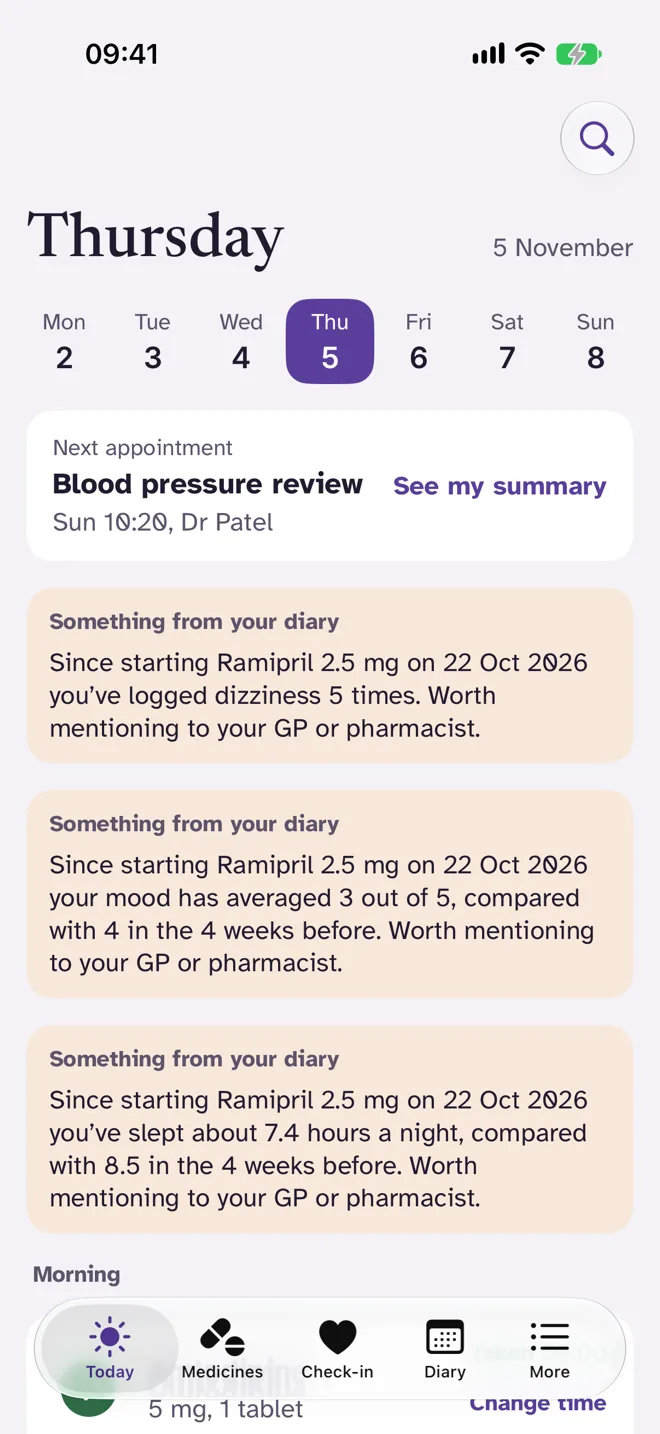
Your day at a glance
Open Dose Diary and see what is due today, grouped into morning, lunch, evening and bedtime, with your next appointment at the top.
- Tick off each dose and see the time you took it
- A gentle reminder on your phone when a dose is due
- Swipe through the week to look back or ahead
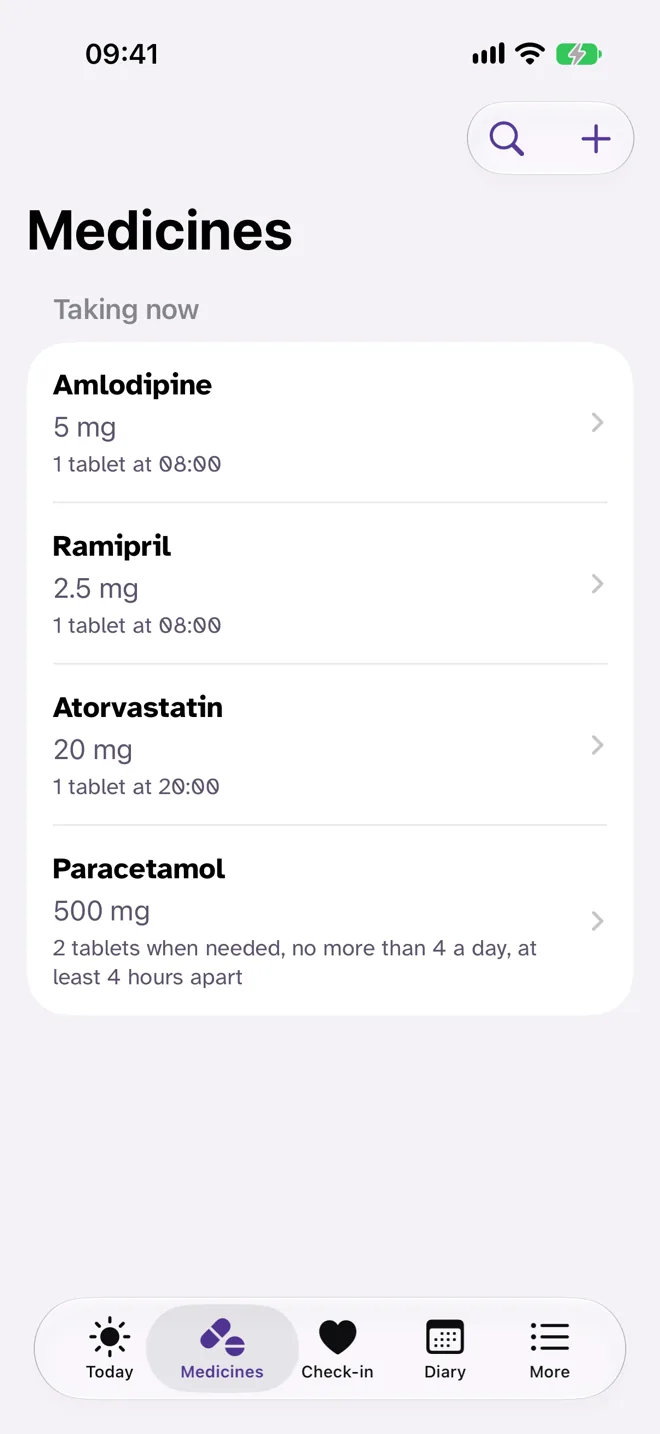
Every medicine in one place
The strength, how you take it and what it is for, written down once and ready whenever a nurse or pharmacist asks.
- What you take now, and anything you have paused
- A record of each change to a medicine
- How many are left and when to order more
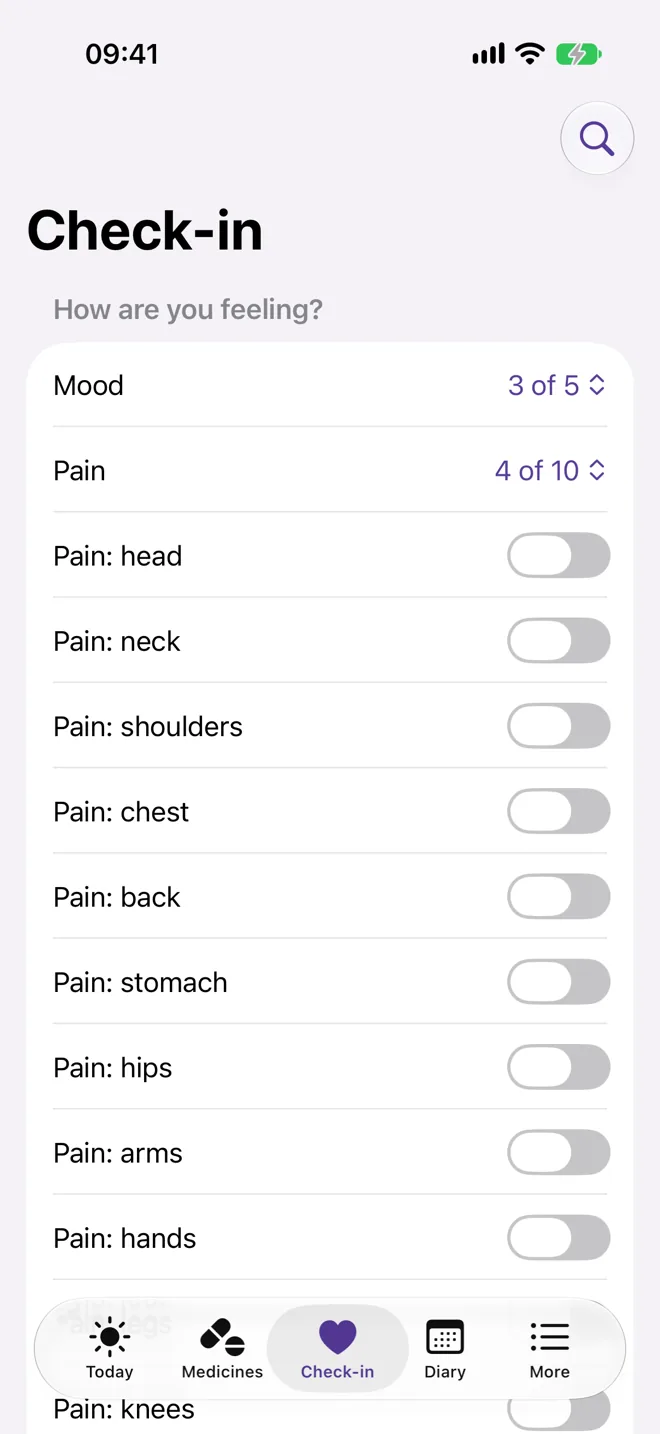
Note how you feel
A quick daily check-in for your mood, any pain, how you slept and your energy. Over weeks it builds a picture that is far easier to explain than “it’s been up and down”.
- Pain level and where it hurts
- How you slept
- Notes in your own words
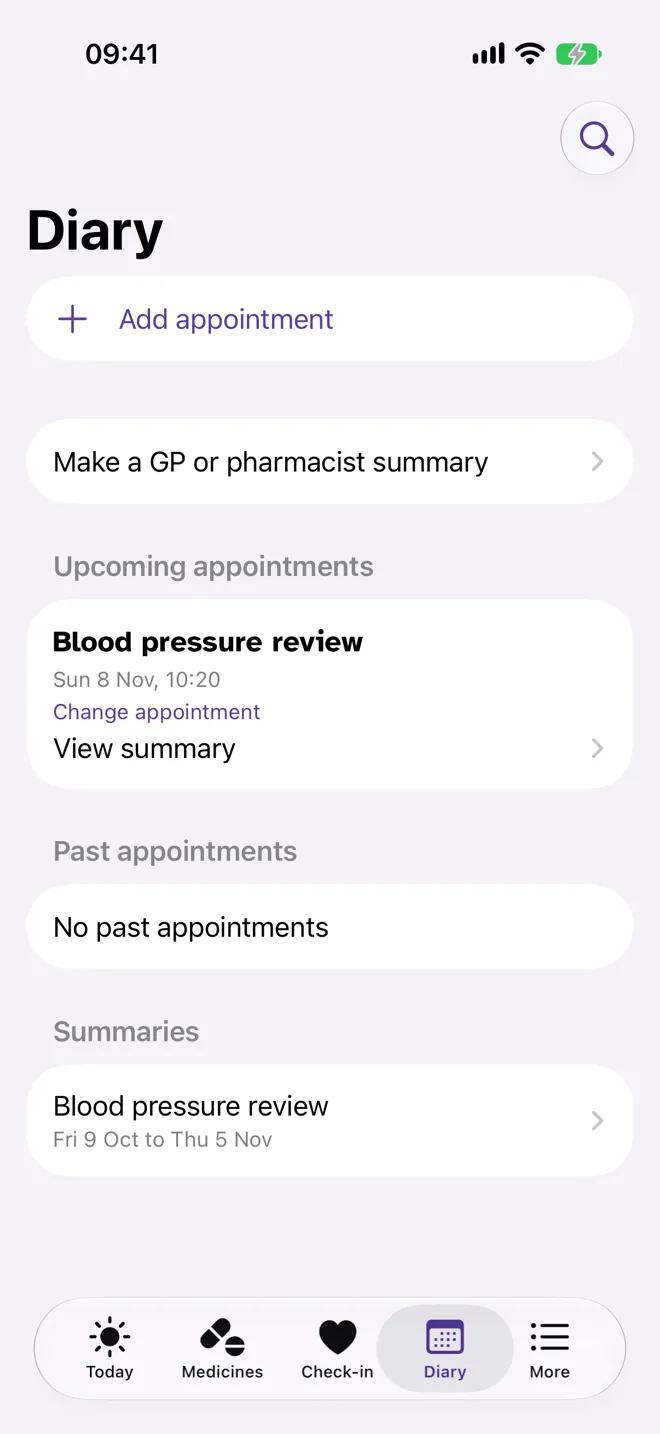
Ready for every appointment
Before an appointment, make a clear summary of your medicines and how you have been, so the few minutes you get are spent on what matters.
- Upcoming and past appointments in one diary
- A summary for any appointment
- Afterwards, note what was said
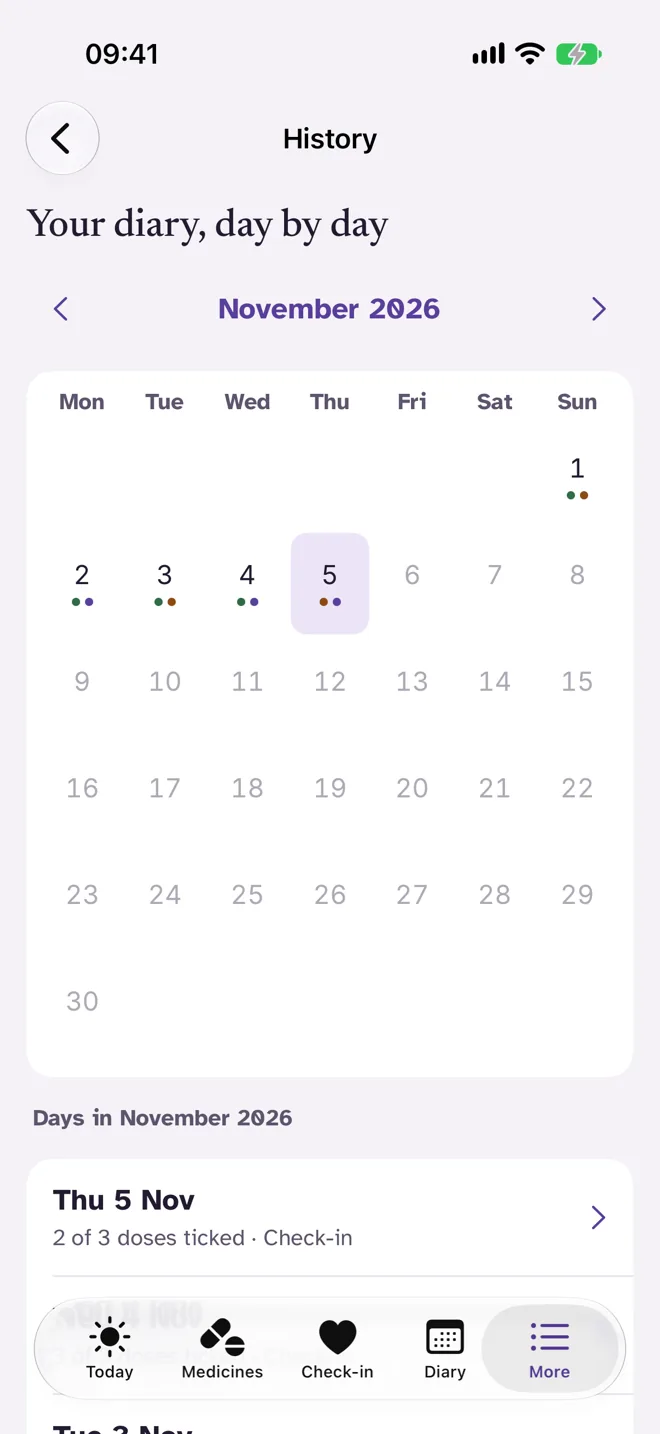
Your diary, day by day
A calendar of every day you have logged, showing how many doses you ticked and whether you did a check-in. Tap a day to see it in full.
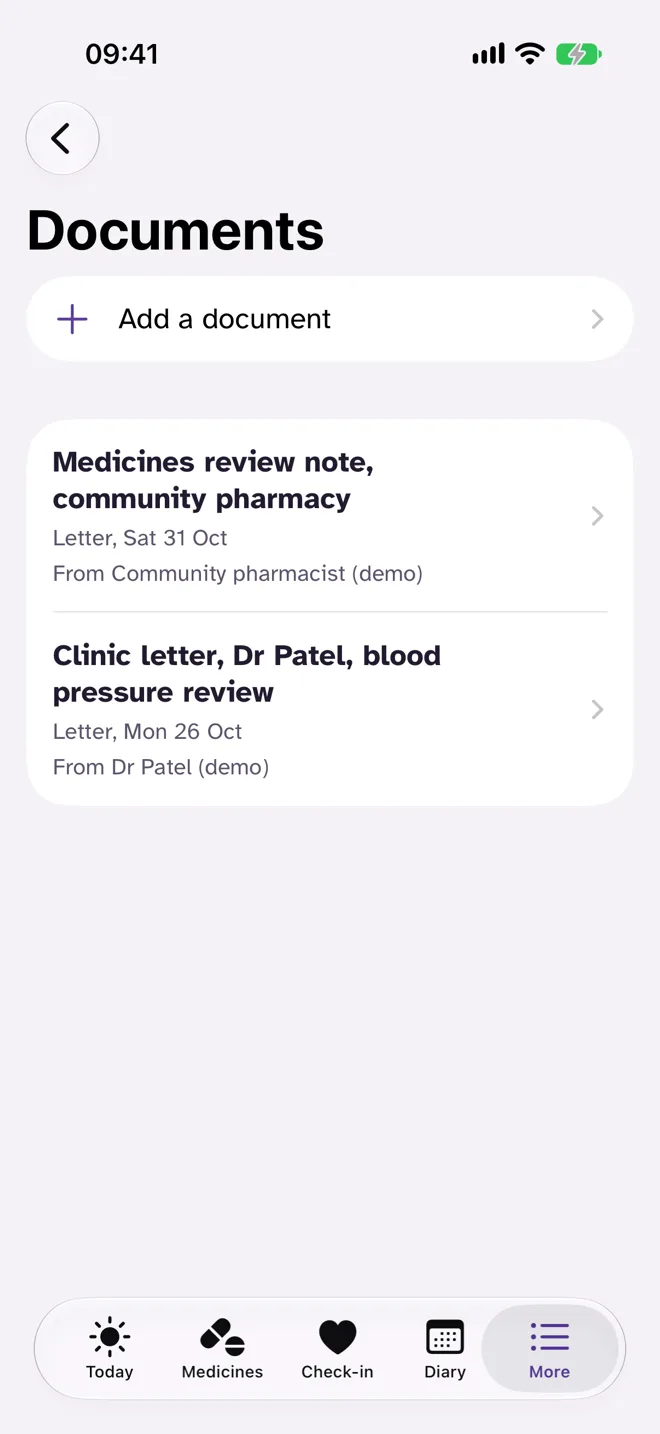
Letters and results, kept together
Referral letters, exercise sheets, prescriptions and blood test results, filed by type, date and who sent them, so they are easy to find when someone asks.
Room to see the bigger picture
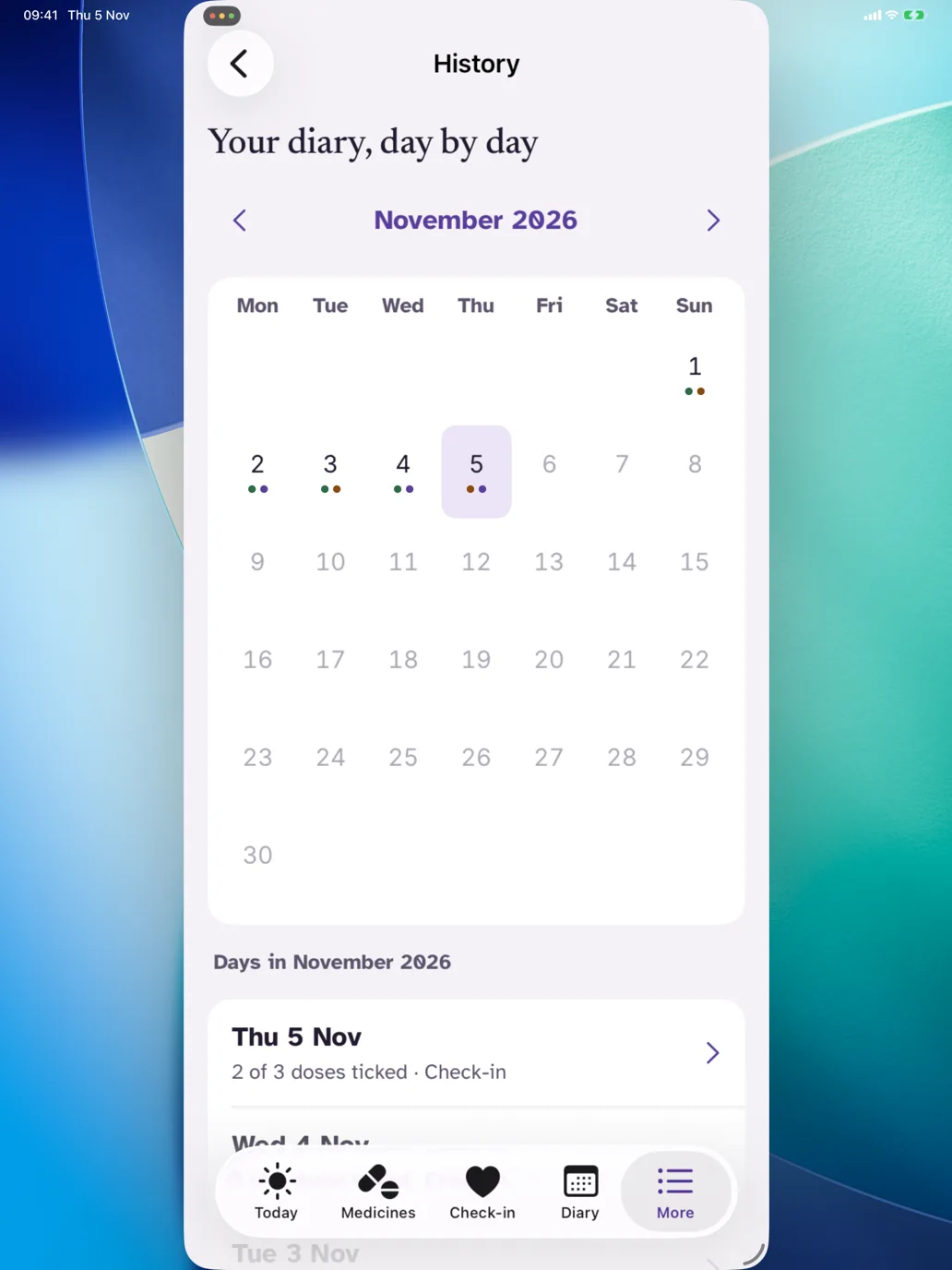
On iPad, Dose Diary uses the larger screen, which helps when you are looking back over a month or getting ready for an appointment.
Questions
Do I need an iPhone?
No. Dose Diary runs in your web browser on iPhone, Android phones, tablets and computers, and you can add it to your home screen so it opens like an app. The iPhone and iPad app is coming soon to the App Store, and it uses the same account.
How is my diary kept private?
Your diary is encrypted with a key that belongs to your account alone. There are no adverts and no tracking, and we never sell your information. You can download everything, or delete your account, at any time.
Walk into every appointment knowing exactly what to say.
Big text, clear buttons and plain words, with nothing to set up beyond your own medicines.